No
ebtEDGE is a helpful tool for EBT recipients to view and manage their benefits in one place, any time, from a computer by visiting ebtEDGE.com or downloading the app to an Apple or Android device. Aside from Supplemental Nutrition Assistance Program (SNAP) benefits, cardholders can also use ebtEDGE to manage:
- Temporary Assistance for Needy Families (TANF)
- Women, Infants and Children (WIC)
- Child care benefits
With ebtEDGE, you can check available balances, review recent transactions, and get account and card information that you may need when shopping. You can also find nearby stores that accept EBT, access messages and support resources, and manage certain card settings such as creating a card nickname, updating your PIN, or requesting a replacement card.
In June 2026, the ebtEDGE Cardholder Portal and Mobile Application were updated. With this update, the Mobile Application has a new logo.
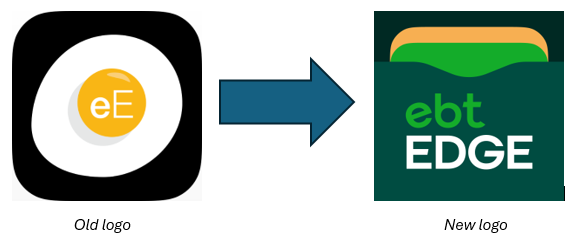 The improved app has additional security features, including multi-factor authentication (MFA), biometric login (fingerprint or face recognition), and the ability to remotely freeze cards to protect against fraud. The app also features an improved user interface, making it easier to use on any device.
Getting Started With ebtEDGE
After downloading the app or visiting the website, follow the on-screen instructions to register an account and begin using ebtEDGE.
Once logged into ebtEDGE, you can view your benefit balances, find a store near you, and search for jobs. You can also manage your card by changing the PIN or placing restrictions on its use.
Frequently Asked Questions
No. In most cases, you can keep using their existing account. The user ID, password, and linked cards will work in the new ebtEDGE if you have logged in to ebtEDGE classic within the last 3 months. If it has been longer, you may be prompted to complete an account recovery step or create a new account.
To use the new ebtEDGE mobile app, the device must run Android 7.0 or later, or iOS 15.1 or later. For the best performance and the latest security protections, we recommend keeping the phone's operating system updated to the most current version supported by the device.
Yes, if the device supports it, the mobile app can use biometric sign-in (such as fingerprint or face recognition) as a convenient way to access cardholder information. After the first successful sign-in, you will be prompted to enable biometrics; a password is required to turn the feature on. Available biometric options vary by device and platform.
Yes. The new application supports multi-factor authentication (MFA) to add an extra layer of protection to the sign-in process. When MFA is enabled, you will receive a one-time passcode (OTP) by email or text message (SMS) and can enter it to complete sign-in.
This can help cardholders regain access if they forget their username and/or password. The recovery process guides them through verifying their information and resetting credentials so they can sign in again.
Yes. In Account Details, you can choose to delete your account. This removes your sign-in credentials (username and password) and unlinks any cards from that account within the app/portal. Transaction history and card history are not erased from the ebtEDGE system.
No. Deleted accounts cannot be restored. If you delete your account and later want to use the portal/app again, you will need to create a new account and re-link your card(s).
Account recovery restores access to your sign-in (username/password). It does not change transaction history; no transaction data is deleted from the ebtEDGE system as part of the recovery process.
Yes. When you use “Cancel Card," it cancels the current card and initiates the replacement card process. This is intended for situations such as a lost or stolen card.
No. Canceling a card does not close the case, change eligibility, or benefit amounts. The app includes standard messaging to help cardholders understand that they are only replacing the card, not their benefits.
The Cardholder Portal and Mobile App include accessibility features and are designed to support ADA accessibility expectations. As with any digital product, accessibility is supported through ongoing design and testing practices to help ensure a usable experience for as many cardholders as possible.
Materials
EbtEDGE Flyer: A more secure, simple way to get more with EBT is here.